





Product Description
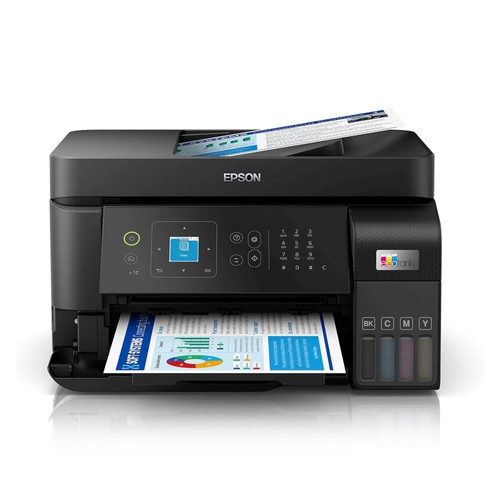
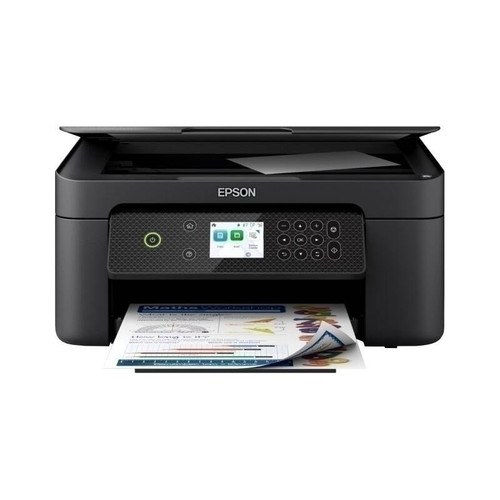
Epson WorkForce WF-2910 Inkjet MFP
AFFORDABLE INDIVIDUAL INK CARTRIDGES
Depending on what you are printing – lots of blue skies will mean your cyan will need replacing sooner than other colours – your printer's ink will reduce at different levels. With individual inks you only need to replace one cartridge at a time – the one that actually needs replacing. With tri-colour cartridges, you end up throwing away the entire cartridge even if just one colour runs out, meaning you waste the good ink you have left. Wasted ink is just wasted money. Epson individual ink cartridges means you save money and don't waste ink.
EPSON SMART-PANEL
An innovative interface, the Epson Smart Panel app² transforms your iOS® or Android™ mobile device³ into an intuitive control centre for your Epson WorkForce WF-2910. This powerful tool makes it easy to set up, monitor, print, scan and more using your Epson printer, right from your hand-held device. With quick-configuration features, it offers easy product setup on your wireless network and automatically detects your printer. Customise the app to your own preferences and requirements. Built to offer everything you need in one convenient app, Epson Smart Panel allows you to register your product, order supplies and easily access troubleshooting tips.
POWERED BY HEAT-FREE TECHNOLOGY
The Epson WorkForce WF-2910 is powered by Epson Micro Piezo with Heat-Free Technology. Micro Piezo technology utilises piezo crystals that pulse when electrical signals are sent to them by the printer. It produces incredibly consistent droplets, both in shape and size, to deliver clear and sharp prints.
CONNECTIVITY
Simple wired & wireless connectivity
The Epson WorkForce WF-2910 supports the latest wireless standard, 802.11 b/g/n4 and includes Wi-Fi Direct®. Which means no router is required, providing users with greater coverage and faster speeds. You can use your printer from anywhere in your home and share it with multiple PCs.
Print from your iPad or iPhone
Apple® AirPrint™ makes it simple to print emails, web pages, presentations and documents straight from their iPad or iPhone. There's no software to download, no drivers to install and no cables to connect. Your Apple® IOS® device will automatically connect to the printer.
PRINTER TYPE
WorkForce WF-2910 C11CK64501
PRINTING METHOD
On-demand Inkjet (piezoelectric)
NOZZLE CONFIGURATION 180 nozzles Black, 59 nozzles each colour (Cyan, Yellow, Magenta)
MINIMUM INK DROPLET VOLUME 3.0 Picolitres
WHAT'S IN THE BOX - WorkForce WF-2910 Printer
- Instruction manual
- Warranty documents
- Power cord
- USB cable and Fax cable not included (Optional extra)
- Initial ink cartridges: Black, Cyan, Magenta, & Yellow
RESOLUTION
5760 x 1440 dpi with (with Variable Sized Droplet Technology)
PRINT SPEED
BLACK TEXT A4 (Normal) 10 ISO ppm1
COLOUR TEXT A4 (Normal) 5.0 ISO ppm1
PAPER HANDLING
PAPER FEED METHOD Friction feed with paper feeder and automatic document feeder
PAPER SIZES A4, A5, B5, B6, A6, Legal, 13 x 18cm, 10 x 15cm, 13 x 18cm, 20 x 25cm Envelopes: C6, No 10, DL
PAPER HOLD CAPACITY Rear Paper Feed input capacity: 100 sheets
*True BorderFree™ printing is available for the following media sizes: 4" x 6", 5" x 7" and A4.
Media types recommended : Premium Glossy Photo paper A4, 4" x 6" and 5" x 7", Matte Paper - Heavyweight.
BorderFree prints are media dependent.
Scanner
SCANNING
SCANNER TYPE A4 Flatbed colour image scanner